
Install
What you need
- Windows 10 or 11, 64-bit, with a graphics card that runs Direct3D 12 or Vulkan.
- Vampire: The Masquerade – Redemption, version 1.1: the GOG or Steam release, installed and unmodified! (A disc install patched to 1.1 can be imported, with a warning, but is not supported nor fully tested.)
- A display of 1024x768 or larger, and about 2.5 GB free besides the game itself.
- Nothing else: Vitomir carries its own runtime. Modest hardware is enough: Vitomir was fully playable on a laptop with a dual-core Intel Core i3-7100U, 8 GB of memory and Intel HD Graphics 620.
Installing
Download the zip from the latest release. Vitomir is published only there; a copy from anywhere else is not this project's.
Unzip the whole Vitomir folder into a folder of your own, such as
C:\Games\Vitomir. Unzip it first: do not start it from inside the zip. And never put it:- in Program Files: Windows does not let programs there keep their own files beside them;
- in the game's own folder (Steam's
steamapps\common, GOG'sGOG Games, or a disc install's): the store can change or delete files there when it updates, checks or uninstalls the game, and take Vitomir with them.
The launcher warns you if it finds itself in either place.
Start
vitomir-launcher.exein that folder. Vitomir is not signed, so Windows may say it protected your PC: choose More info, then Run anyway.Choose where your saves go. On the first start the launcher asks where to keep your saves, settings and logs (your user folder). The usual place is
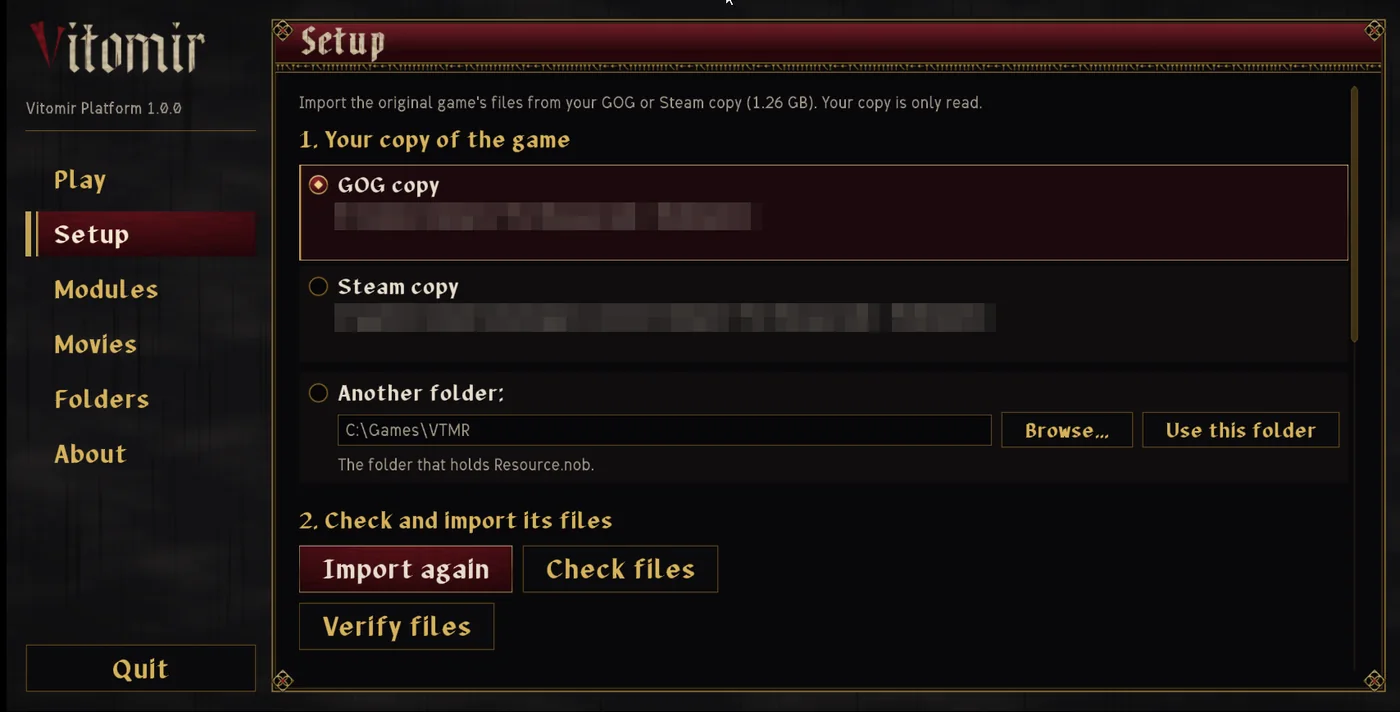
%LOCALAPPDATA%\Vitomir; you can also pick a folder of your own, or keep everything inside the Vitomir folder (portable).Setup finds your copy of the game, checks its files and imports them into your user folder. It finds the Steam and GOG copies by itself; if yours is somewhere else, point it at the folder. Then press Play.
Your old saves
If you still have saves from the original game, Setup's saves section lists them and brings across the ones you choose. Your original saves are only read.
Optional extras
- The game's pre-rendered cutscenes. These movies need FFmpeg, which Vitomir does not ship. The Setup page installs it for you if you want it; without it, the movies are skipped.
- Upscaled movies. The launcher's Movies page can make sharper, smoother versions of the game's movies on your own PC, with two free tools it downloads into your user folder. It takes a while: on a fast desktop about an hour for the best quality and a quarter of an hour for the quicker one; on a modest laptop, many hours for the quicker one and days for the best. You choose, movie by movie, which version plays. The tools are portable, are never installed in Windows, and can be removed from that page at any time.
- Shortcuts. Setup's last section makes a Desktop and a Start menu shortcut, if you want them.
Updating and removing
- Updating: unzip the new version over the old one. Your saves and settings stay in your user folder.
- Removing: delete the Vitomir folder, and your user folder too, which holds your saves, settings and other files, if you want those gone. Delete the shortcuts if you made them; FFmpeg, if Setup installed it, is removed from Windows' installed apps like any other program.
If something goes wrong
The launcher's About page has Copy details for a bug report. Paste that into a bug report, with what you did and what happened. The FAQ has a list of common questions.