
Features
Vitomir plays Redemption as patch 1.1 does, then gives you a modern PC's comforts on top, each of which you can turn off. Its changes come in three kinds:
 Fixes: the original game's own bugs and quirks that are part of how it plays. They stay as they were unless you
switch a fix on. Off by default.
 Quality of life: comforts the original never had. On by default, each one switchable.
 Repairs: defects that break the game, such as losing items. Always on; there is nothing faithful about losing
your sword.
Every switch is on the game's options page, with a line saying what it does.
 Faithful to 1.1
The rules, the numbers and the behaviour are patch 1.1's, read from the original game and measured against it: the disciplines, the combat, the blood, the shops, the scripts, the quests and the story. The game's own Java scripts run as they did. When the faithful choice and a modern one differ, the faithful one is the default and the modern one is a switch.
 Your screen
- Widescreen at any resolution. The 3-D view fills the window and shows more at the sides, while the interface keeps its original proportions, centred. The original 4:3 is one setting away.
- Full screen, borderless or windowed, at your desktop's resolution or any other.
- Direct3D 12 or Vulkan, on today's graphics cards, with no compatibility layer to set up.
Quality of life (on by default)
| Switch | What it does |
|---|---|
| Quick Equip | Shift + right-click an inventory icon to put an item on or take it off. |
| Driving | Steer a character with the keyboard as well as by clicking. |
| Camera | The wheel zooms, the arrows turn and a middle-button drag swivels the camera. |
| Keys | Your own key bindings; off, the original keys whatever they say. |
| Held Shift | Holding Shift with the button keeps swinging the second attack. |
| Party Order | Drag a companion's portrait along the bar to change the party's order. |
| Drop Cells | An item put down in the inventory goes into the cells it covers most. |
| Soak Pie | The soak wedge fills in even steps, full at 100. |
| Spawn Walls | A creature made during play (a rat out of a barrel) stays on the floor plan instead of running through walls. |
| Relock After Menus | The camera's swivel lock comes back on when the menus over it close. |
| Whisper Echo | A whisper you send is shown to you too. |
| Film Volume | Films follow the sound slider instead of playing at full volume. |
| Alt+Tab | Alt+Tab leaves the game even while it holds the keyboard. |
Off by default, for those who want them: Free Camera (Ctrl+P frees the camera, once a developer's key), Windows Key (the Windows key does nothing while you play), Skip Opening Films and Skip Story Films.
Always on, with no switch: quick trade. In a shop, a right click buys a shelf item at once, and a right click on one of your own items sells it at once, both by the shop's own rules (your purse, its stock, your pack's room, what it will buy), with no confirmation box.
See it in play
Every control the original game had is still there, and Vitomir's own sit beside them. The clips show the default keys; yours are on the options page's Keys screen.
The camera eases into each move instead of jumping, and it keeps within the level: in a small room the walls hold it in, so zooming out does little until there is space behind the character.
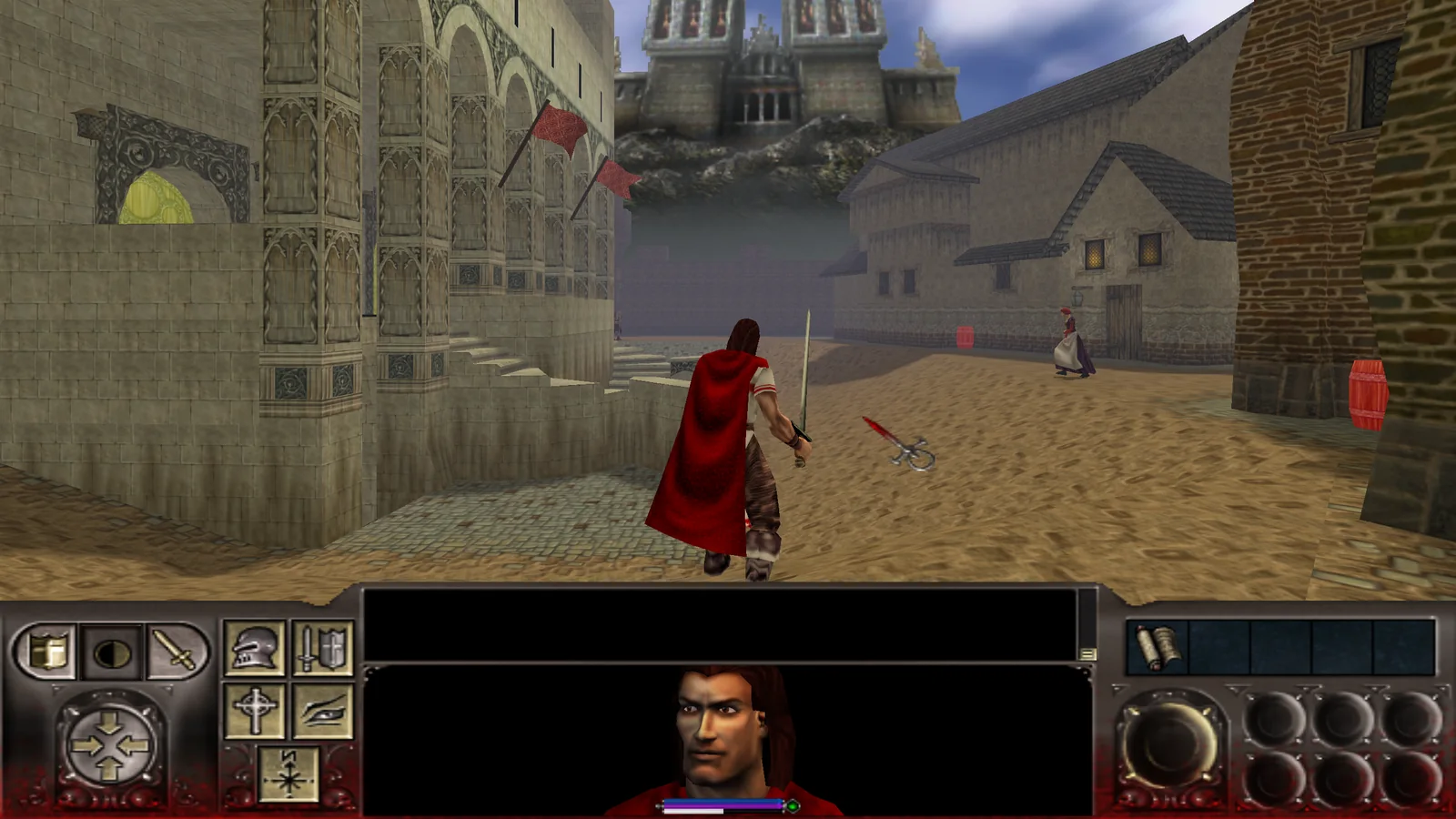
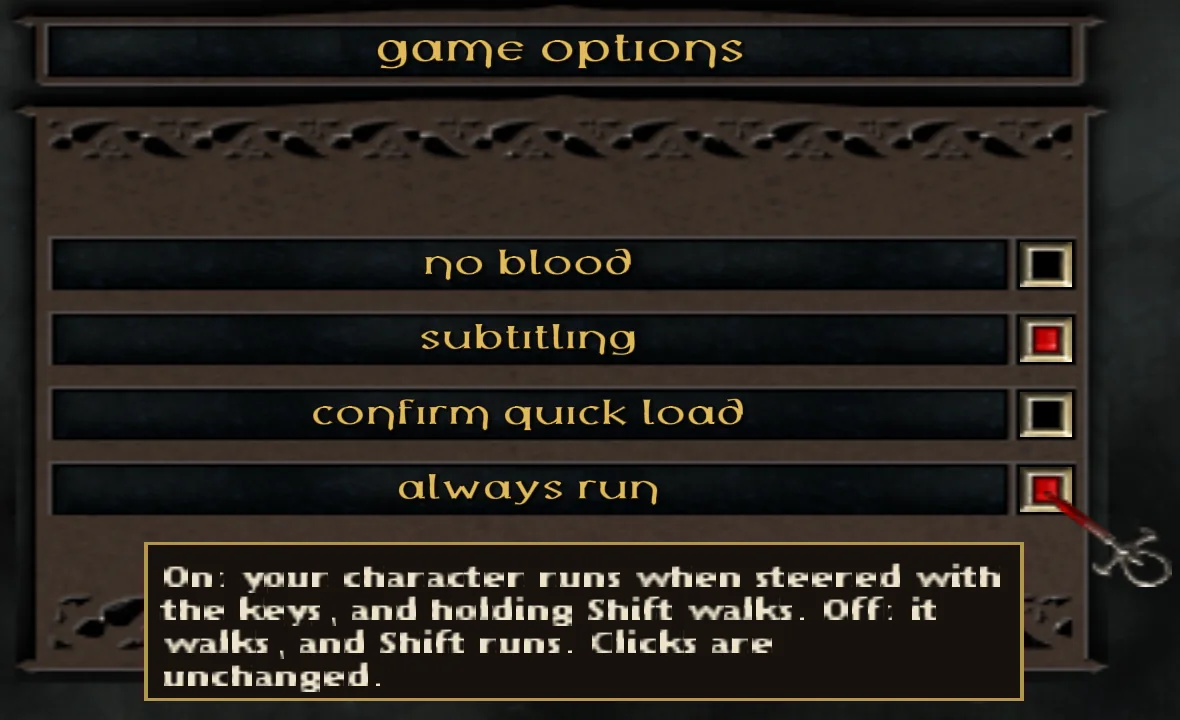
Steered with the keys, a character walks, and Shift runs. Always run, a box on the Gameplay options page, turns that round: the keys run, and Shift walks. Clicks are not affected.
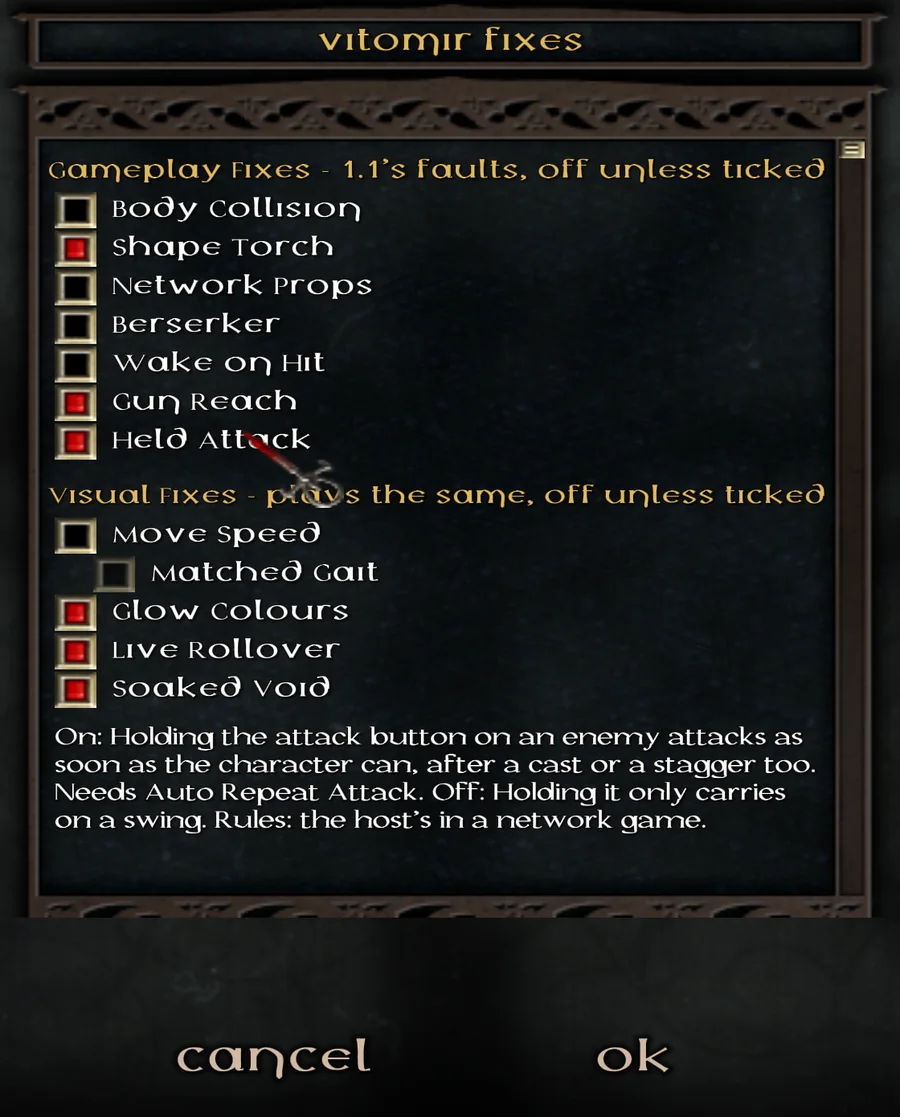
Fixes (off by default)
| Fix | What it changes |
|---|---|
| Held Attack | A held attack starts the moment the character is free, after a cast or a flinch too. |
| Gun Reach | A gun fired from the very edge of its reach hits instead of falling just short. |
| Berserker | The Berserker weapon's strongest frenzy takes hold, as its script meant. |
| Wake on Hit | A character a script holds still is let go when a party member hurts it. |
| Soaked Void | Fortitude and Skin of the Adder flash when a blow is soaked away whole, as written. |
| Shape Torch | A character in another shape keeps its torch out of sight, so a wolf can bite. |
| Live Rollover | A rollover's lines stay current while the pointer rests on it. |
| Glow Colours | The hover glow in the colours the game asks for. |
| Move Speed | A walk or run cycle's rate follows the character's speed. |
| Matched Gait | A walk or run cycle's rate makes the feet match the ground. |
| Body Collision | A steered character has to fit its whole body past the walls. |
| Network Props | In a network game, other players see props such as a torch's flame. |
Repairs (always on)
A dropped item lands where it should; a patrol that ends where it began goes round again; a party member without a starting place stands with the leader; the control options hold after a load; a loaded pack keeps no used-up potions and no two items on one cell; an item without a hover picture keeps its icon; the cathedral's pendulum starts from its own place after a load; a wall stops an explosion's blow; an effect's glow and trail survive a load; and in a network game each blow is rolled once.
 The launcher
- Setup finds your Steam or GOG copy, checks its files and imports them once, and brings across your old saves.
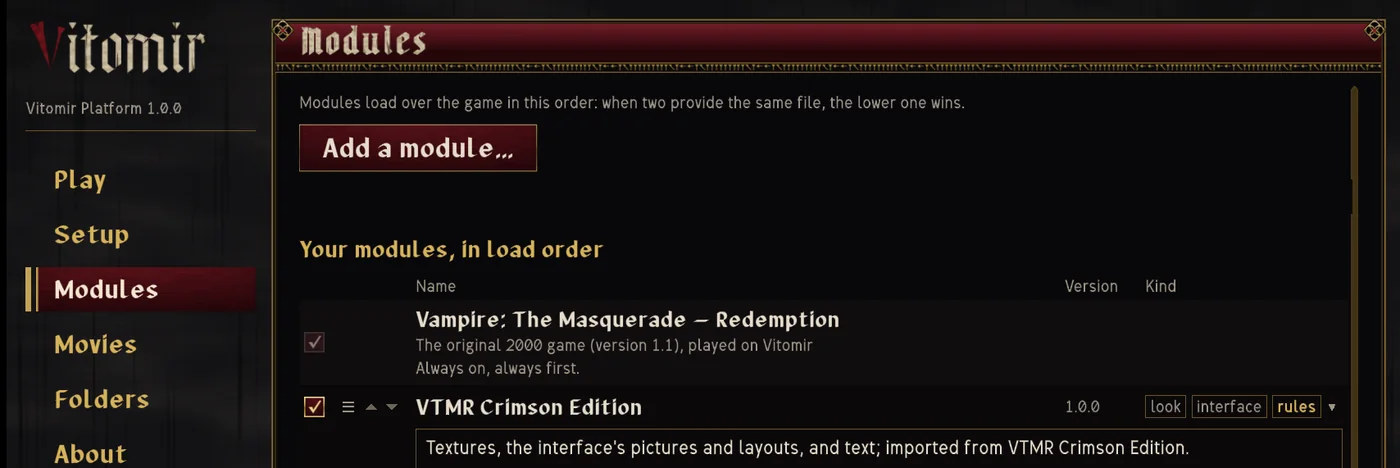
- Modules adds texture packs, new models and sounds, and fan chronicles as player modules, laid over the game in the order you choose, each one switchable and checked. Your copy of the game is never changed.
- Movies makes and manages the upscaled movies.
- Folders shows and moves your user folder, or makes Vitomir portable.
Mods for the original game
Mods made for the original game come in two parts: their files (textures, models, sounds, interface art, fan chronicles),
and, for some, changes to the original game's program, Vampire.exe. Vitomir takes the files as player modules from the
launcher's Modules page. It never runs another program's changes, because Vitomir is a program of its own. The three
best known:
| Mod | Supported | What that means |
|---|---|---|
| Neural Redemption | Fully | It is textures only. Add it on the Modules page and every one of them is used. |
| Crimson Edition | Its files, not its program changes | Its textures, interface and other files are used. Its patched program is left out, and what it was for is Vitomir's own anyway: widescreen, and the vault and level-up buttons on its status bar, which open Vitomir's own vault and advancement screens. |
| Age of Redemption | Not right now | It is an overhaul that depends on its own patched program and its own scripts, and Vitomir runs neither: it never runs another program's changes, and this release runs only the original game's own scripts. We can't support it right now; possibly in the future. |
Smaller packs work too: new characters and creatures, character skins, and fan-made levels.
 Upscaled movies
The launcher can remake the game's movies at a higher resolution and a smoother frame rate on your own PC, with the free tools Real-ESRGAN and RIFE, which it downloads for you. Two versions, Best (four times the size, twice the frames) and Fast (twice both), and you choose for each movie which one plays, or the original. It can stop part way and pick up where it left off, and every file it makes, tools included, can be removed from the same page.
 Multiplayer and the Storyteller
- Host or join over the internet or your own network. The host's router is asked to open the way by itself (UPnP, NAT-PMP or PCP); when it won't, the FAQ says what to do.
- The Storyteller runs a chronicle for the other players, as in the original.
- Playing far apart stays quick: what you do yourself starts at once on your own PC.
- Streamer mode hides every network address, your user name and join details wherever text is on screen, so you can stream a session safely.
- A dedicated host can run in its own window, with no player at it.
Known limitations
These come from the original game, and Vitomir keeps them as they were.
- Getting caught on corners, steps and furniture. The original game works out where a character can stand from the height of the ground and the shape of what is nearby, and some spots catch a character: an edge, a low step, the corner of a table or a wall. It is easiest to notice in driving mode, where the keys push straight ahead into whatever is there. The way out: click to move a short way past the spot. A click finds its own path around what is in the way, and you can carry on with the keys from there.
- Party members get caught too. Companions following the leader can catch on objects in the same way. We chose not to rewrite the game's own AI, to keep the original experience.